Blog / Difference Between Vector and Raster Graphics: A Complete Guide for Aspiring Graphic Designers
Sunday, 9 Aug 2026
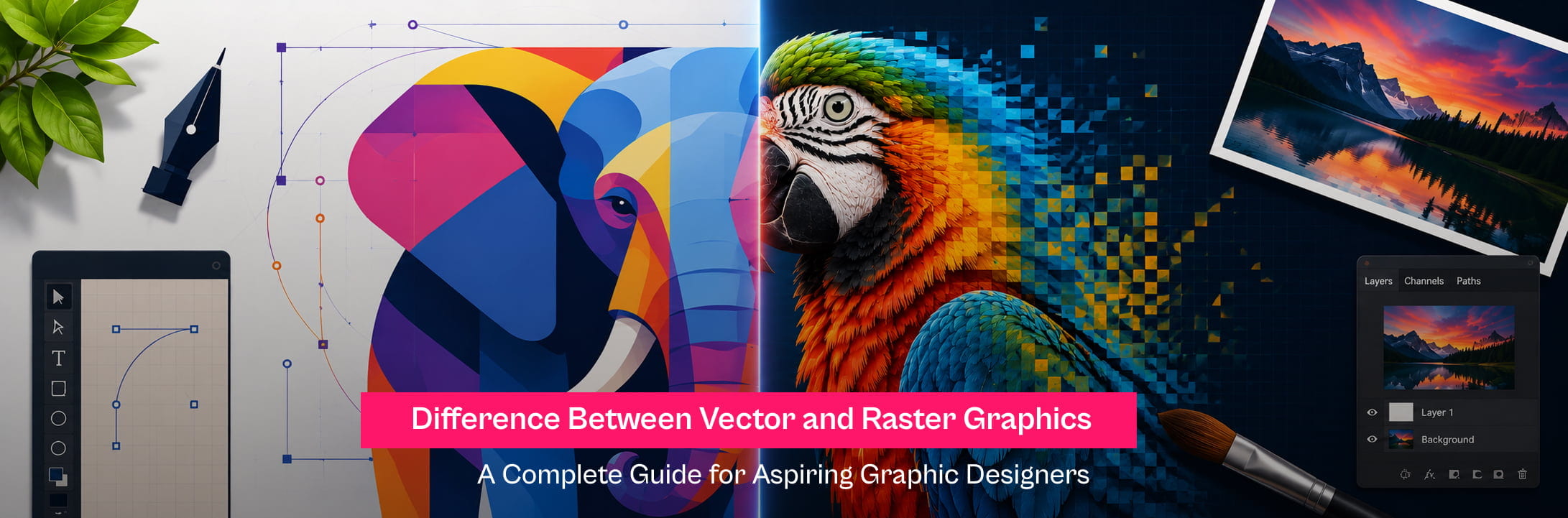
Difference Between Vector and Raster Graphics: A Complete Guide for Aspiring Graphic Designers
Have you ever wondered why some images remain crystal clear at any size while others become blurry when enlarged?
The answer lies in two fundamental graphic formats that every designer needs to understand: vector and raster graphics. That idea may become a brand logo seen across the world, a social media post that captures attention in seconds, or a billboard stretching across a busy highway. Behind every successful design lies an important decision that many beginners overlook - choosing between vector and raster graphics.
Many aspiring designers learn software before understanding this difference. Yet, this single concept influences image quality, print results, editing flexibility, and even career opportunities in graphic design. If you are planning to build a career in design, understanding the difference between vector and raster graphics is one of the strongest foundations you can have.
What are Vector Graphics?
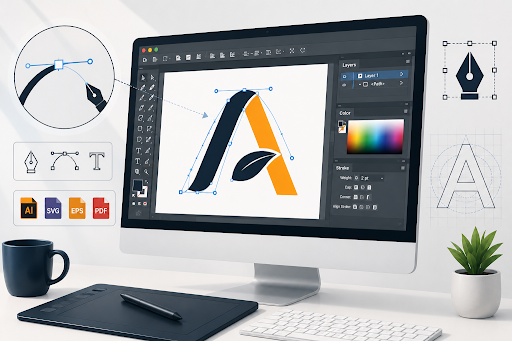
Vector graphics are digital images created using mathematical formulas instead of pixels. Every shape, line, and curve is defined mathematically, allowing the artwork to be resized without losing quality.
Whether a logo appears on a business card or a massive outdoor billboard, the edges remain perfectly sharp.
This scalability has made vector graphics the preferred choice for branding and professional design projects.
Common uses include:
- Brand logos
- Business cards
- Icons
- Illustrations
- Packaging designs
- Typography
- Infographics
Popular Vector File Formats
- AI
- SVG
- EPS
Designers often create vector artwork using Adobe Illustrator, one of the industry's most widely used vector graphic software applications.
What are Raster Graphics?
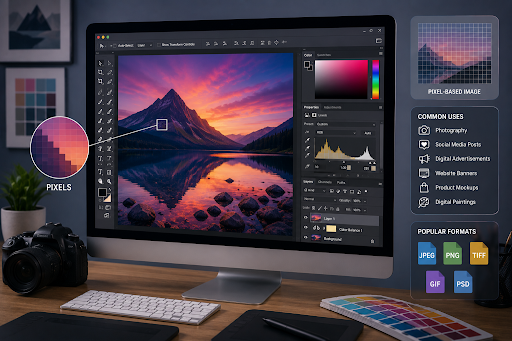
Raster graphics are pixel-based images made up of thousands - or even millions - of tiny coloured squares called pixels.
Every photograph taken on a smartphone or DSLR camera is a raster image. Since each pixel contains colour information, raster graphics are excellent at displaying realistic textures, detailed shadows, and smooth colour gradients.
Unlike vectors, enlarging a raster image stretches those pixels, causing visible blurriness or pixelation.
Raster graphics are commonly used for:
- Photography
- Social media posts
- Digital advertisements
- Website banners
- Product mockups
- Digital paintings
Popular Raster File Formats
- JPEG
- PNG
- TIFF
- GIF
- PSD
Professional designers primarily edit raster images using Adobe Photoshop, the industry standard for photo editing and image manipulation.
Vector vs Raster Graphics: Understanding the Difference
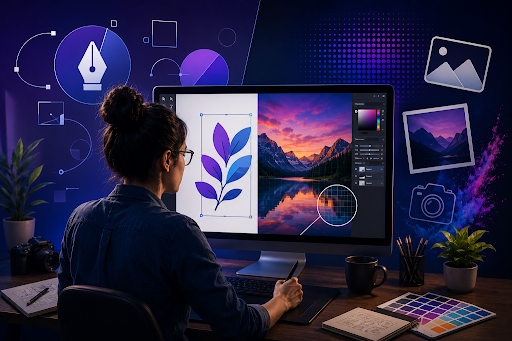
Choosing between vector and raster graphics depends entirely on the project.
|
Feature |
Vector Graphics |
Raster Graphics |
|
Built Using |
Mathematical formulas |
Pixels |
|
Image Quality |
Remains sharp at any size |
Quality reduces when enlarged |
|
Best For |
Logos, illustrations, branding |
Photos, digital artwork |
|
File Size |
Usually smaller |
Often larger for high-resolution images |
|
Editing |
Easy to modify shapes and colours |
Pixel-level editing |
|
Printing |
Excellent for all print sizes |
Requires high resolution for quality printing |
Many professional projects use both formats together. A company logo may be created in vector format, while promotional banners and product photographs are prepared using raster graphics.
Why Understanding Both Matters Today?
Digital content is being created faster than ever before.
According to Statista, global digital advertising spending is projected to cross US$870 billion by 2027, reflecting the growing demand for visual content across websites, mobile apps, social media, and digital campaigns.
The demand for skilled designers is growing alongside this trend. Precedence Research estimates that the global graphic design market is expected to reach US$78.25 billion by 2034, driven by the increasing need for branding, digital experiences, and visual communication.
Every organisation, right from startups to multinational companies, relies on designers who understand when to use scalable vector graphics and when raster images deliver the best visual results.
Best Software for Vector and Raster Graphics
Professional graphic designers rarely depend on just one application. Different tools are used based on the project requirements.
Adobe Illustrator
Adobe Illustrator is designed specifically for vector graphics.
It is widely used for:
- Logo design
- Brand identity
- Packaging
- Typography
- Illustration
- Scalable designs
Adobe Photoshop
Adobe Photoshop is the preferred raster graphic software for editing pixel-based images.
It is commonly used for:
- Photo editing
- Digital painting
- Social media creatives
- Image retouching
- Advertising visuals
- Web graphics
Learning both applications opens opportunities across branding agencies, advertising companies, publishing houses, digital marketing firms, and freelance design.
Which One Should Graphic Designers Learn First?
Learning begins with understanding design principles rather than mastering software alone.
Adobe Photoshop introduces beginners to image editing, layers, colours, and composition through real-world projects like creating social media posts and marketing creatives. Adobe Illustrator expands those skills by teaching scalable designs used in branding, logo creation, packaging, and illustration. Professional designers work with both tools because modern design projects require flexibility across print and digital media. At Dreamzone, students are trained using industry-standard software while strengthening essential graphic design skills through practical assignments, portfolio development, and mentor guidance.
Build Your Creative Career with Dreamzone
Graphic design is no longer limited to advertising agencies. Designers now contribute to e-commerce, entertainment, publishing, UI design, digital marketing, gaming, and content creation. Learning the technical difference between vector and raster graphics is only the beginning. Real confidence is built by working on projects that mirror industry expectations. Dreamzone's Graphic Design Course combines creative thinking with practical software training, helping learners develop portfolios that reflect professional standards and prepare them for diverse career opportunities.
Conclusion
Every memorable design begins with the right foundation.
Understanding the difference between vector and raster graphics helps designers make better creative decisions, deliver higher-quality work, and adapt to different design requirements with confidence. Whether the goal is designing a timeless logo, editing a striking photograph, or building a creative career, mastering both graphic formats creates a strong starting point. Learning these skills through structured, hands-on training transforms knowledge into real-world expertise and opens the door to a rewarding future in graphic design.
Frequently Asked Questions


Corporate Headquarters
No. 25, Dr. Radhakrishnan Salai, Mylapore,
Chennai - 600 004, Tamil Nadu, India.
+91 98843 85048


Flagship Events
Trending Courses
Fashion Design
Interior Design